Can PPT Bullets Save Us From Real Bullets?

Tuesday, May 4th, 2010

PowerPoint is not the enemy, but can be a powerful communication secret weapon, if used well.

If you were in a contest to win a million dollars by pitching an idea to a small group of investors for starting a new company which would you choose:

1. Send them a detailed 100 page business plan a week before the meeting and ask these extremely busy investors who have their own successful companies to run and a few too many start-up businesses to oversee and keep tabs on – to read your detailed plan. Then at the pitch meeting with them, speak to a few highlights of the plan and ask them if they had any questions. What do you think the chances are that they read your detailed business plan or anything beyond the summary page – if they even took the time to look at more than the title?

2. Send them the detailed 100 page business plan and ask them to review it. Then you meet with them and take the first ten minutes to present the key highlights of the plan with some powerful, effective, easy to understand PowerPoint visuals that support your presentation speech. You make sure they knew you expect them to ask questions at any time. You brought copies of the detailed business plan, so you could answer some questions by pointing them to answers in the document (that they probably forgot to bring, or lost in the pile of plans they are asked to review). You might have an appendix of the plan in the PowerPoint deck with all the key data that you might be asked about and can quickly show supporting data to answers if asked about it.

Creating this PowerPoint deck might take a lot of work. I might even hire a professional graphic artist to assist with a few of the key graphics. In the end it will ensure that I get the opportunity to present my idea thoroughly and accurately by having the long form detailed document, my speech, and powerful visuals to point out the highlights and support the words in my speech.

For an opportunity to win a million bucks to get my business started, I’d do what ever it takes to ensure my one shot at pitching it to the investors that could make it happen. I’d use every tool available to me.

Now, if I were in the military and presenting information on strategies and information that may change the course of history and literally result in the life or death of people, not just the financial success of a company – I would use every available tool to communicate that information as effectively and accurately as possible!

If used effectively, maybe the bullet points in a PowerPoint used by the military could actually save lives by avoiding the use of real bullets that kill people.

The Enemy is PowerPoint

Wednesday, April 28th, 2010

PPTBullet1

Financial crisis, Healthcare crisis, and now Mideast crisis all caused by PowerPoint. The horrible program that has tortured millions, maybe billions of people to sit through boring, time wasting meetings.

Faster than a speeding locomotive, able to leap from any size digital projector or computer screen, more powerful than a nuclear bomb, capable of killing ideas and making people stupid, PowerPoint is the secret weapon of the Microsoft Bill Gates to conquer the world.

Forget Microsoft Word, Excel, Outlook, Explorer and all the other applications the evil Microsoft has forced upon the world with their near monopoly of the software industry, it is PowerPoint that is being used to control minds and make people stupid enough to buy the next Microsoft Office release and add billions of dollars to his already fat financial world controlling bank accounts.

Once people start using the new features in PowerPoint 2010, they will become so stupid that they will start believing FOX News is truly unbiased news reporting. These people made stupid by PowerPoint 2010 will then start voting into office people like Sarah Palin and Glenn Beck (who are too smart to ever have used PowerPoint). Once in power, they will ban the use of Google search of their backgrounds, tax The New York Times out of existence, and heath care for anyone over the age 65 to save costs.

They will then push through congress and the senate a new law that allows them to appoint a new leadership position of the US, the Czar of the Digital US. Everyone will know, even the people made stupid by PowerPoint, that the Czar that controls the Internet, the computer “clouds”, the virtual worlds, the digital US will control the world. Bill Gates will have won. PowerPoint is the enemy. We must fight back with long winded speeches without any visual support, and 100 page research papers that everyone must read or die, for there will be no summary PowerPoint decks to help get the key points communicated. We must stop this enemy now!

Inspired by the article in the NY Times: “We Have Met the Enemy and He is PowerPoint“,  The New York Times, April 26, 2010 by Elisabeth Bumiller

Terrific Tufte, but Tired of Anti-PowerPoint

Monday, March 22nd, 2010

Tufte Teaching 031810I recently attended Edward Tufte’s full day class “Presenting Data and Information” for the second time. I enjoyed it just as much as the first time and highly recommend it for anyone in the business of designing and producing presentation visuals. If you don’t know who Edward Tufte is, he is the master of Visual Data Design. Last week President Barack Obama announced that he would be appointing Edward Tufte to the independent panel that advises the Recovery Accountability and Transparency Board. Tufte is being asked to help design the government web site www.recovery.gov, which will chart how every single dollar of the $787 billion stimulus bill is being spent.  A Newsweek article on his appointment, calls his data visualization “the clearest, richest interactive database ever produced by the American bureaucracy”.

If there is anyone that can take on the monster task of taking the tons of government dollar data of the recovery act and turn it into visually appealing and most important understandable information for a mass audience, it is Tufte. I only wish the government used Tufte or one of his followers to put the healthcare chaotic mess into some easy to understand visuals so the voting public could actually understand what is going on or maybe even help our politicians understand what exactly they really voted for.

Tufte is amazing how he can take a boat load of complicated data and turn it into a simplified, accurate visualization that communicates the data tracking results effectively. In today’s world of infinite information overload, this talent is in high demand. Tufte is well known by anyone in the business of presenting data and information, or at least he should be.  Don’t hire any professional presentation designer if they can’t tell you they are familiar with some of Edward Tufte’s principles of data and information design.

Although, be careful of “professional presentation designers” that buy into his anti-PowerPoint message. He spews anti-PowerPoint insults to anyone in his class that admits they use PowerPoint. I believe it has been a great marketing ploy. He broke out of his circle of academic fame into the public eye with his essay “PowerPoint Does Rocket Science–and Better Techniques for Technical Reports” where he claims PowerPoint is partly responsible for the Columbia spaceship disaster. From this essay, the “DEATH by PowerPoint” term was born and the Anti-PowerPoint movement was launched. Data visualization is not by any means an interesting topic of mass appeal, but PowerPoint, the tool of millions, if not nearly every professional and amateur presenter, is an easy target to attract mass appeal. With PowerPoint shows being viewed by millions and millions of audiences around the world every day, every hour, every minute, who can not say they have not viewed more than their fare share of bad PowerPoint slides? Tufte’s “Death by PowerPoint” message hit home to the millions of people who regularly are forced to sit through boring presentations and BAD PowerPoint produced slides.

Yes, I will admit PowerPoint has probably contributed partially to the Columbia Spaceship disaster, but in the same way a knife contributes to the killing in the latest murder on last night’s news. But it is only a tool, you can’t hold the knife responsible for the murder!  When used appropriately, a knife can carve a delicious turkey, or help carve a beautiful sculpture. PowerPoint is just a communication tool. In Tufte’s essay all he proves is that the decision makers used the tool wrong or maybe should have used a different tool such as a long detailed technical engineering report and not relied so heavily on summary slides.

In my view, Tufte’s essay actually proves how POWERFUL a PowerPoint presentation can be in shaping opinions and moving people to decisions. Unfortunately in the case of the Columbia incident it was used poorly, and resulted in a bad decision. BAD PowerPoint can lead to bad decisions. It can do this by inaccurately focusing the audience on wrong information and in most cases just “kills” the the communication at the meeting, which almost always results in causing more problems.

PowerPoint can be a great tool when used correctly. I have personally seen it happen hundreds of times – how a good PowerPoint deck has helped communicate critically important messages that have impacted millions of lives for the better by changing the courses of large and small companies for the better. I have seen great presentations with the help of powerful PowerPoint visuals close billion dollar corporate deals and help raise millions of dollars at a single charity event.

Edward Tufte, a data guru, professor with a passion for very large sculptures, you’re famous now. You’re making millions. Please give up on the anti-PowerPoint marketing message and acknowledge the reality that it is just a tool and if you use it well (and this includes using many of your principles of good data visualization), it can be a great tool for presenting data and information. One day maybe you’ll read and agree with my essay “Life by PowerPoint”.

Another Steve Jobs Presentation Success?

Friday, January 29th, 2010

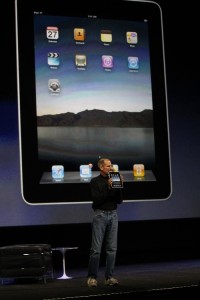
When Steve Jobs presents the world listens. Yesterday he presented Apples latest new product, the iPad at a much anticipated industry event.  His presentations are often the high bar to be measured against. His style has changed little over the 20 years I’ve seen him present. I remember watching him present the Apple Newton many years ago at the then yearly MacWorld Boston event.

He does haveSteve Presentats the iPad a few advantages over your typical presenter such as he wanted better presentation software, so he had Apple develop Keynote. I’d love to know why they never developed a Windows version.   A bigger advantage is that he always has a great, exciting, newsworthy product to show and demo. My favorite memorable “Steve the Presenter” moment was pulling the Apple MacBook air out of a inter-office envelope. He’s part marketing magician.

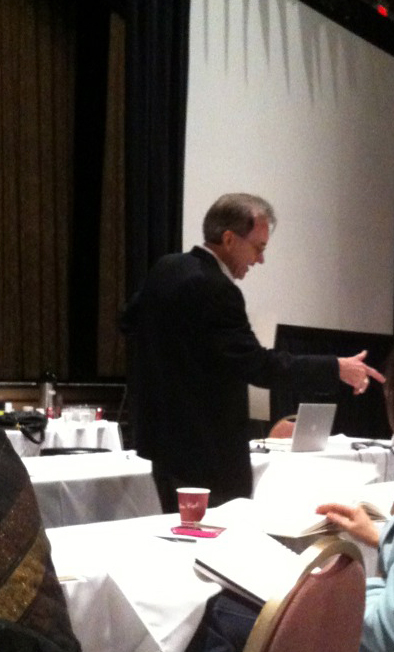
He makes it look so easy and relaxed, but from what I’ve have read and heard from people that have worked at Apple events he rehearses often and until it looks unrehearsed. He did look a little tired this time, but he still looks like he is recovering from his liver transplant. After what he has been through it is amazing that he has the perseverance to continue to put himself through the new product development, media circus and pressure of a worldwide speaking event.

I’m glad he did. I look forward to his speaking engagements as much as a new Pixar movie, not to mention the excitement of the new product he was launching. I’m sold. I’ll buy one when it ships in a few months.

The iPad may not make much of a dent in the PowerPoint world, but I’ll want to try the new version of Keynote developed for it. You have to listen carefully to the presentation, but it does hook up to a projector so you can present from it.

Now, back to working on a client’s PowerPoint presentation that she would like us to make it look as Apple Keynote “Wow” like as possible.

Present like Steve Jobs

Thursday, November 19th, 2009

Apple iPhone

There has been a good deal of publicity buzz about a new book called The Presentation Secrets of Steve Jobs: How to be Insanely Great in Front of Any Audience by Carmine Gallo. I have only read a few excerpts and hope to read it some day as I am a big fan of Steve Jobs and the Mac. I don’t have to read the book to know Steve has a big advantage over most presenters. He has a great company creating exciting, game changing products like the Mac, iPod, itunes, and iPhone. It does help to have a great, exciting product to present like steve jobs. Everyday corp presentations usually don’t have this advantage to have such a great product to announce or  such an exciting story to tell – but I’m sure the book is full of good tips – most important is Steve Jobs REHEARSES and Practices HARD.

It is probably the most overlooked element of a good presentation. PLAN and practice.  In today’s time challenged world leaving enough time to practice your presentation is difficult to plan on. The best professional presenters I know practice so much, you’d never guess they rehearse at all because they seem so natural and conversational.

A video of the Carmine Gallo giving a few good tips from his new book can be  found at Forbes.com

Good Presentations take TIME

Saturday, October 10th, 2009

RaceTheClock-100909-11aIn my quest for trying to understand why so many people hate PowerPoint (and even I sometimes hate it), I have come to the conclusion that a key reason is that when working with PowerPoint most people are racing against the clock. It sometimes seems that when working with PowerPoint, the clock just starts racing ahead to that presentation deadline.

They don’t really hate PowerPoint, but the deadline and what they have to do to get to the deadline. Then, to top it off they have get up in front of a group and present their story or critical information, a task often feared as much as going to the dentist for a root canal surgery.

A presentation deadline is like no other. It is often a one shot deal. One shot to make and win your point. It is often a deadline that you can not delay or change. Getting a group of people together, often a group of important people or large group of people to meet these days is a challenge in itself. Wasting your own time is one thing, wasting other people’s time is magnified tenfold by the potential loss or gain of the meeting outcome.

A good presentation often takes a great deal of time to develop and design. It is my experience that most people don’t PLAN enough time for a good PowerPoint presentation. The best presenters plan more than enough time and are so well rehearsed,  that when they finally present they look so good, as if they never have to rehearse.

Before PowerPoint (Keynote, and other electronic slide applications) presentations used to take a lot longer to develop and a minimum of 24 hours to get the “slides”, the 35 mm slides or color overheads (acetates) processed. You could not make last minute edits the way you can now. With the power of PowerPoint, you can make changes to your presentation slides right up to the second before you are about to present. This is great to be able to update last minute data, fix a typo, or add a last minute important thought, but it also adds to the stress of time. The production is not done until you present it.

I’d write more, but I have to go plan my next presentation.

Guy Kawasaki’s 10-20-30 Rule

Tuesday, September 29th, 2009

Guy Kawaski 10-20-30 rule Guy Kawasaki is a great speaker that often speaks to entrepreneur groups about how to present their ideas to venture capital groups. His 10-20-30 rule has been getting a lot of tweet time today. It’s a good rule for presenting to Venture Capitalist, but it should not be taken as a universal rule for presenting. He says for this VC target audience “you should not have more than 10 slides, speak longer than 20 minutes and do not use text smaller then 30 points”. He says “if you can’t fit the 30 point text on the slide then it is too much text”.

My rule would be more like 20-10-18. I’d aim for more slides with less on each slide, but about one slide per 30 seconds to keep the presentation visually interesting and moving along.  I would try not to use any type smaller than 18 point and always keep slides as simple and clean looking as possible. Yes, larger text is always helpful, especially if you are presenting to a large audience or with anyone that distance viewing may be a limited.

The more important rule is make sure your slides are readable from a distance and your important point stands out. It is ridiculous to limit the number of slides. All to often we see slide limits as the cause for content chaos – where a presenter attempts to cram 40 slides worth of content into his 15 slide limit. Good meeting facilitators should not give speakers slide number limits but time limits. It is the responsibility of the presenter to practice and trim their content to fit the time allotted as a speaker. If you have limited time to speak,  well designed PowerPoint slides can often assist in communicating the information faster and make it more memorable. A good agenda with good slides can also keep the speaker and audience stay on track for keeping the meeting to the allotted time.

The most important rule is don’t follow all the rules. Do what it takes to be innovative, creative and interesting. Break the rules if you feel it will result in more interesting visuals and a more engaged audience. Remember your objective is to communicate important information in the allotted time, not get through 10 slides as fast as you can.

I Love PowerPoint!

Tuesday, September 22nd, 2009

I Love PowerPointThere are not many people that would admit or say that they love PowerPoint. I do.  I have been in the business of creating electronic slides (often referred to today as making “PowerPoints”) since 1991. It seems everyone loves to hate PowerPoint.  But everyone continues to use it. And too many people abuse it and don’t use it correctly. If PowerPoint is used correctly it can be a great communication tool for getting your important points across to your audience quickly and effectively. You have a better chance of having people remember what you present if you present it with good visual support -  with good PowerPoints.  I have seen PowerPoint decks that have launched new products, new businesses, new careers, ideas, strategies, and raise millions of dollars for charities, promote environmental causes, explain complicated medical procedures, assisted in winning  million dollar sales deals and be a critical communication component  in closing a billion dollar merger. Has PowerPoint helped you achieve your meeting objectives?

Will Masks be the new Meeting Attire?

Tuesday, September 22nd, 2009
Masks are the latest "in" meeting attire

As Swine Flu hysteria makes a come back this fall, will the new attire at your next business meeting be business casual with a business blue face mask?  My daughter is home from school today for the second day. She has a simple cold or what appears to be a simple cold, but anyone sneezing or coughing at school gets sent home.  Will this new wave of Swine Flu give companies another reason (besides budget cuts) to cancel meetings and events?  What is going to happen to all the medical meetings planned that will contribute to avoiding Swine Flu outbreaks in the future? Will they be canceled? Time to call the stock broker and invest more money in Webex and the other online meeting companies.

Life by PowerPoint vs Death by PowerPoint

Thursday, September 17th, 2009

Life by PowerPoint

If you work with PowerPoint, you’ve heard the term “Death by PowerPoint”. Some days it seems PowerPoint has killed more people than the Iraq war. PowerPoint has never killed or hurt anyone. It is only a communication tool that can be a great tool when used properly or a very bad tool when used poorly. Unfortunately, it is so easy to use and used so often (estimated to be 30 million users daily), it is often abused and too often used to torture audiences rather than engage and excite them.

It is not “Death by PowerPoint” but “Death by BAD PowerPoint”. PowerPoint as a communication tool has the capacity to support a meeting communication, but can also kill an idea or meeting if used incorrectly.

PowerPoint can be an amazing tool when used correctly.  It can help engage your audience, enhance your presentation, help close a deal, explain a complicated process, keep an audience focused on the important points, share information faster and more effectively than a speaker without PowerPoint slides. It can bring life to your ideas and to your important communications!